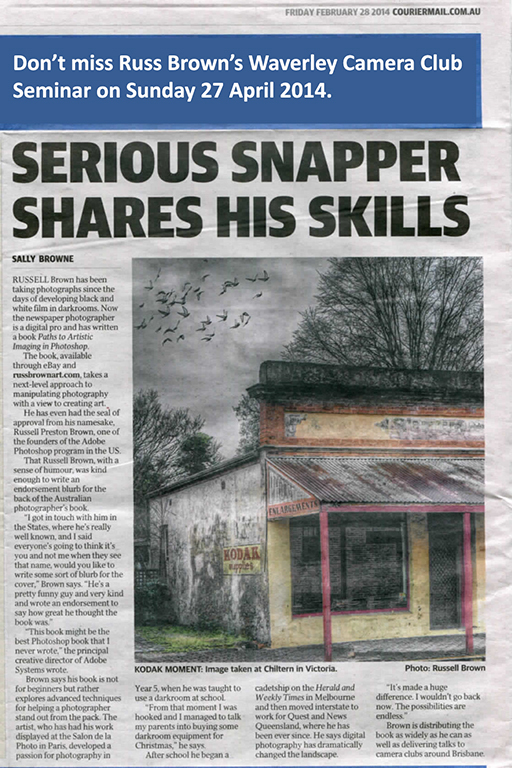
Creative Photoshop Seminar

Brochure 27 April

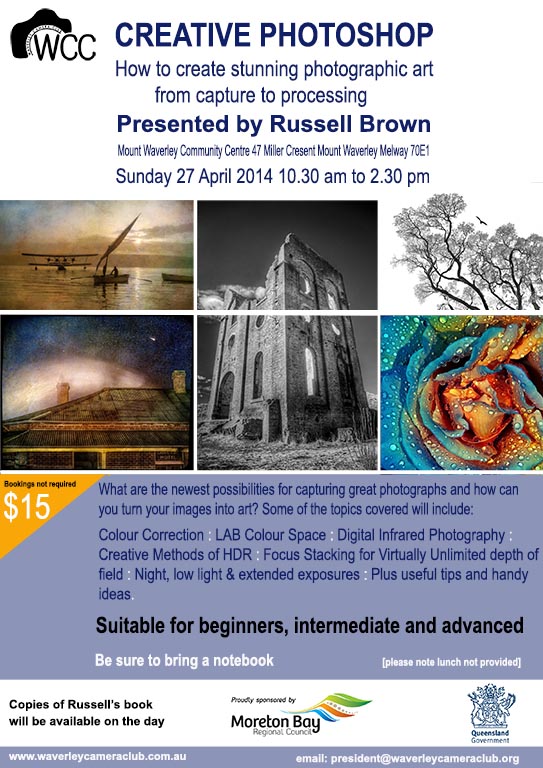
Creative Photoshop
How to create stunning photographic art from capture to processing
Presented by Russell Brown
Mount Waverley Community Centre, 47 Miller Cresent, Mount Waverley, Melway 70E1
Sunday 27 April 2014 10:30am to 2:30pm
Bookings not required, $15
Suitable for beginners, intermediate and advanced

Out of the dark and into LightRoom

From club member Anne Ramus:

I was a person unfamiliar with the digital world when I took up “art photography” upon retirement about two years ago. A huge part of that journey has been coming to grips with post-processing using LightRoom software.

And what a buzz it is! I’m hoping my experience inspires others to plunge into this editing software and to keep swimming – even though at times, like me, you might feel you’re drowning and are tempted to give it all away. Persist – be stubborn about it. It hasn’t been quick or easy for me, but the benefits of finally nailing a reasonable level of digital photography and post-processing have been huge.

Accustomed to making things up as I go along, including leaving the reading of instruction manuals till last, I found LightRoom a challenge. I was impatient, with a bull-at-a-gate style. I’ve learnt that staying cool and methodical and being organised are much better options.

Firstly, you have to get your head around the way LightRoom stores your images: it catalogs the changes you make, not the whole image. In that way, it takes up much less precious space on your hard drive. Every time you bring up your amended photo on the monitor, LightRoom takes the original photo stored on your computer, adds the changes you’ve made, and shows your latest version of it whenever you access it.

It’s therefore critical where and how you file your original photos. And don’t meddle with them after importing them into LightRoom, creating chaos like I did initially. Once you’ve imported them, moving photos on your HD breaks the link that LightRoom originally established and needs to operate. It won’t find your photos, and you’ll be tearing your hair out trying to locate them and re-establish connections. Establishing an organised filing system to work out of, then getting into the rhythm of a methodical LightRoom workflow, are first critical steps. And tag your photos with keywords. I didn’t for a while: I thought it was a waste of time. Instead, I wasted countless hours wading through mountains of images looking for photos …

Secondly, with your filing system nicely established and operating well, you’re free to explore LightRoom’s exquisite capabilities for making your shots look even better and more competition-worthy. It’s a creative process, but it’s also very technical. As a (right-brain dominant) oil painter accustomed to free-wheeling with paint on a blank canvas, I found it a challenge to have to “stop, think, read, follow, do” according to a manual and a merciless left-brain computer.

A side-benefit to me of this learning was an understanding of how computers behave, their language and their protocols. LightRoom learnings translated across the board into other digital areas, like my iPhone and iPad. I’m learning faster and better by being much more confident and effective in searching out all sorts of information on the internet. I am now clearly more knowledgeable than my 4-year-old grandson!

There’s a goldmine of photo gurus and teachers out there that you can tap into – for free. Explore to find the ones that suit you best. You’ll refine your list down to the ones that align with your learning style and level of expertise. I have 5-6 favourites and by subscribing to their websites, I receive alerts of tutorial topics available.

Talking of experts, if you still (like me) feel comfortable seeing words, diagrams and pictures on paper, Scott Kelby’s LightRoom Manual is a “must have”. He is the very consumer-friendly god of LightRoom and also offers excellent free internet tutorials on an endless array of photography topics and techniques.

Whether you have a point-and-shoot camera or a big black DSLR, if you’re struggling to get your photos to look like you want them to, consider LightRoom. I’ve been told it’s more user-friendly than Photoshop, yet if you want to progress to Photoshop, it’s an easy bridge to cross. Along with a range of other photography software, there are also elements of Photoshop that you can use via LightRoom.

At this point in my photography career, I’m content with LightRoom, aware that I still have lots to learn about this software as well as my camera and lenses. When (or if) I’m ever feeling creatively or technically constrained by either LightRoom or my equipment, I’ll move onwards and upwards. But at the moment, the joy of continually discovering more of what LightRoom can do for me seems boundless!

Anne Ramus
February 2014
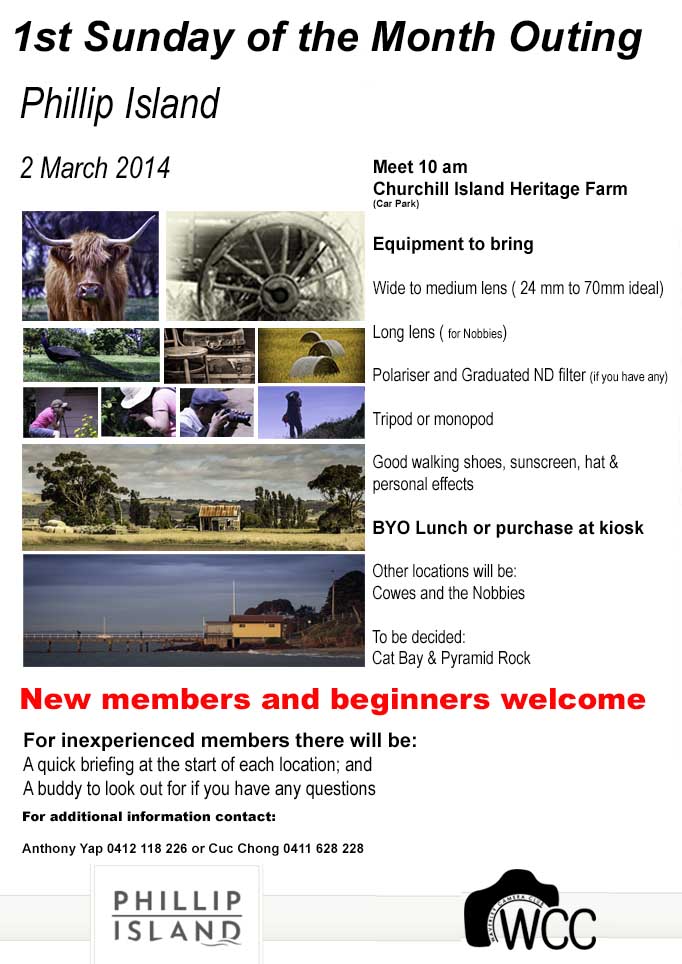
Phillip Island club outing – 2 March 2014

flyer first sunday March

Phillip Island

2 March 2014

Meet 10am at Churchill Island Heritage Farm (carpark)

Equipment to bring:

  • Wide to medium lens (24mm to 70mm ideal)
  • Long lens (for Nobbies)
  • Polariser and Graduated ND filter (if you have any)
  • Tripod or monopod
  • Good walking shoes, sunscreen, hat & personal effects

BYO lunch or puchase at kiosk

Other locations will be: Cowes and the Nobbies

To be decided: Cat Bay and Pyramid Rock

New members and beginners welcome

For inexperienced members there will be:

  • A quick briefing at the start of each location; and
  • A Buddy to look out for if you have any questions

Workshop Tuesday 18th Feb 2014 – Lightroom and Photoshop

Tuesday 18th Feb 2014 sees WCC hold a Lightroom & Photoshop workshop, if you want to see what post processing can do for your photography check out this short AV

http://vimeo.com/86181623

PS. If you’re interested in learning how to make AV’s like this one don’t forget our AV Group commences tomorrow evening at 7.30 pm for 7.45 pm at Wadham House.

Paul Spence

WCC President

Audio Visual Group – An Introduction to AV Production

AV1


Our AV Group start again on Tuesday, 11 February 2014.

Whilst we have some very experienced members in our group we will be starting with the basics on Tuesday and over the next few months building up our technical and production skills.

We will have lots of practical examples and tips. If you have ever wondered when the right time to join the group is…the answer is now.

So, if turning your photos into entertaining AV productions appeals to you, we look forward to seeing you on Tuesday, upstairs at Wadham House.


***OMG*** – New (O)nline (M)entoring (G)roup

I am very pleased to announce that the WCC Online Mentoring Group (OMG) will commence on Friday 31 January 2014.

The OMG is intended to provide all members, but particularly inexperienced photographers, assistance with post processing and photographic technique.

You can submit up to two images (in jpeg format) per month to the OMG gallery by emailing omg@waverleycameraclub.org with the following information:

  • Photographers Name
  • Image Title
  • Description including:
    • why you took the       shoot
    • did the image meet       your expectations
    • the camera settings       used (if known)

Feedback during each month will be provided by our club’s very best photographers so get involved and your photography will benefit.

To view the gallery go to https://www.waverleycameraclub.org/mentoring-group/


A special thankyou to Cuc Chong and Dave Sumner for all their effort to get this initiative of the ground.

4-Club Competition Night – Tuesday 29th October 2013

Just a quick reminder that next Tuesday 29 October 2013 we are hosting the final Four Club Competition for 2013. the meeting will take place at:

The Main Hall
Mt Waverley Community Centre
Miller Crescent
Mt Waverley

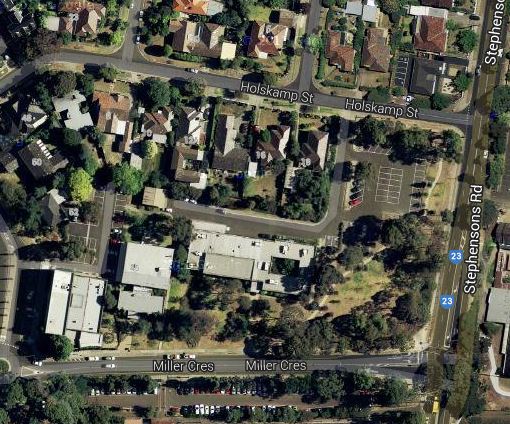
Car Parking is on Miller Crescent or to the rear of the centre off Holskamp Street

Capture

If you haven’t been to a Four Club Competition before, I know that you will enjoy the terrific standard of photography on display. The competition categories are Colour, Monochrome and EDI. The competing clubs are:

1. Berwick Viewfinders Camera Club;
2. Eastern Suburb Photography Society;
3. Maroondah Photographic Society; and
4. Waverley Camera Club.

Family and Friends are very welcome. Please bring a plate to share for supper 7:45 pm for 8:00 pm start.

Finally, don’t forget to bring any prints you want to enter in the end of year competition. Details are on the web site HERE

Thanks
Paul Spence
WCC President

Audio Visual Group – Mar 12th 2013

The audio visual group will meet on Tue 12th Mar upstairs at Wadham House, Mt Waverley at 7.30pm. Also come along and ask questions about your AV’s and Mr Bob Thomas, winner of the VAPS best AV in 2012 will answer them for you. Don’t miss this opportunity to meet the 2012 VAPS AV Winner. The night will be split into two sessions as follows:

Using Layers – ‘Learn how to Set Show Options’, ‘Add Layers to Your Show’ and ‘Layer Sizing and Positioning’.

Meet Bob Thomas – Bob Thomas, the winner of the coveted VAPS Best AV 2012 prize and he will be answering all your questions.

If you are not sure what Audio Visual is then why not come along and see what we do? If you’ve ever had the desire to put music or words to a slideshow of your holiday images to show to your relatives or create stunning presentations of your photographic work to show everyone else. Or maybe you are interested in taking part in the many AV competitions held around Australia, whatever the reason, the AV Group is for you.

Please see the flyer below for more information

AV Group 22 January 2013

The AV program will commence on 12 February 2013, however next Tuesday 22 January 2013 we will be gathering at Wadham House to review any AV’s that any members would like to have reviewed and critiqued prior to final submission to the club for consideration as an entry into the May 2013 VAPS Interclub competition.

The AV Group Program starting 12 February 2013 is set out below: