End of Year Results for 2014

End of year competition

Monochrome prints

3rd: Cuc Chong – Black Diamond
2nd: Stephen Edmonds – Morning Ride
1st: Anthony Yap – Alvin

Anthony Yap - Alvin

Colour Prints

3rd – Felix Shparberg – In the Late Twilight
2nd: Cuc Chong – Cute one
1st: Vicki Moritz – Foggy Dawn Val DOrcia

Vicki Moritz - Foggy Dawn Val DOrcia

EDI

3rd: Stephen Edmonds – Riding Through
2nd: Tuck Leong – Concentration
1st: Felix Shparberg – Sand

Felix Shparberg - Sand

Monthly competition aggregate points

A grade print – Rosie Hughes
A grade EDI – Rosie Hughes
B grade print – Geoff Shaw
B grade EDI – Dianne Willis

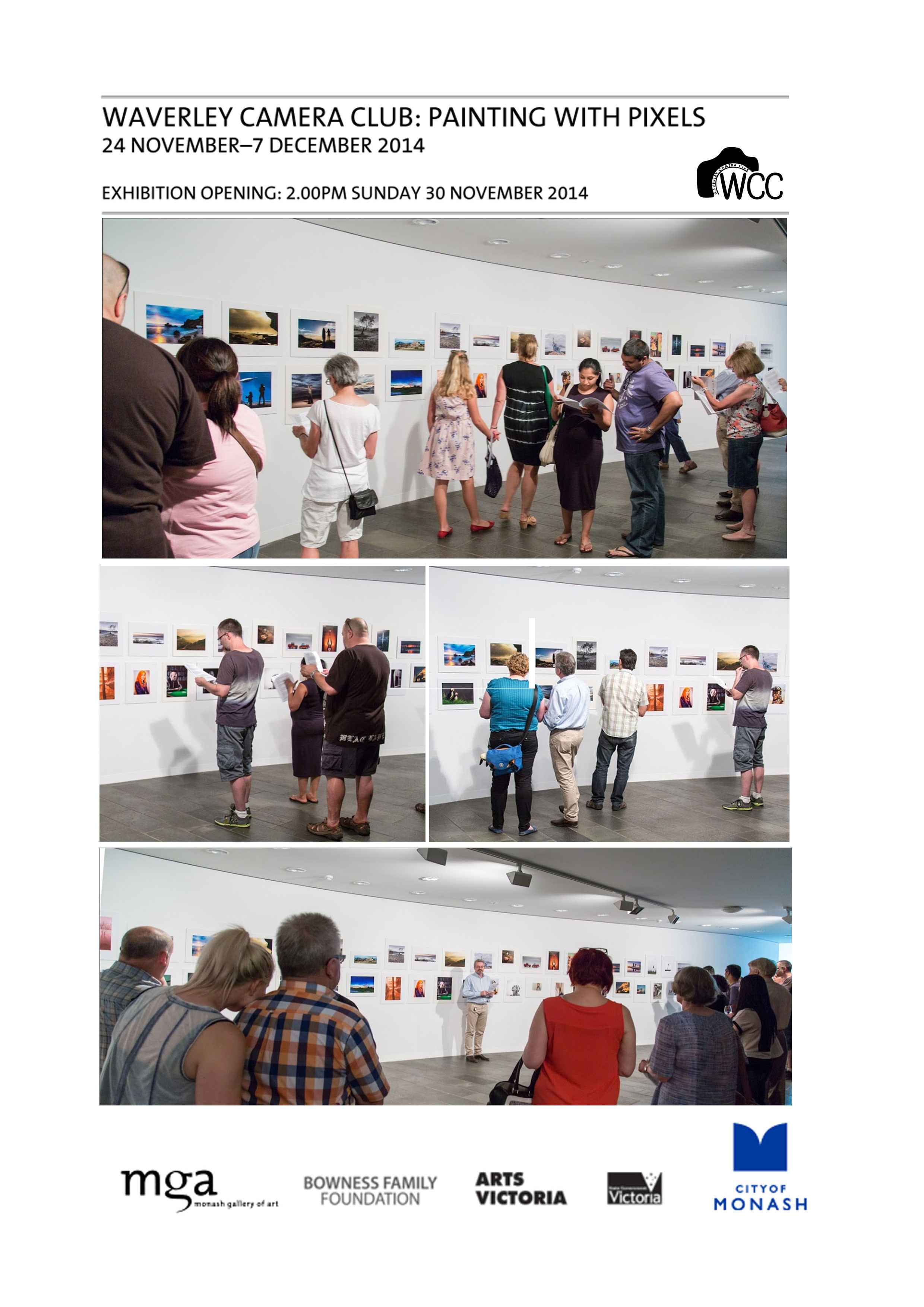
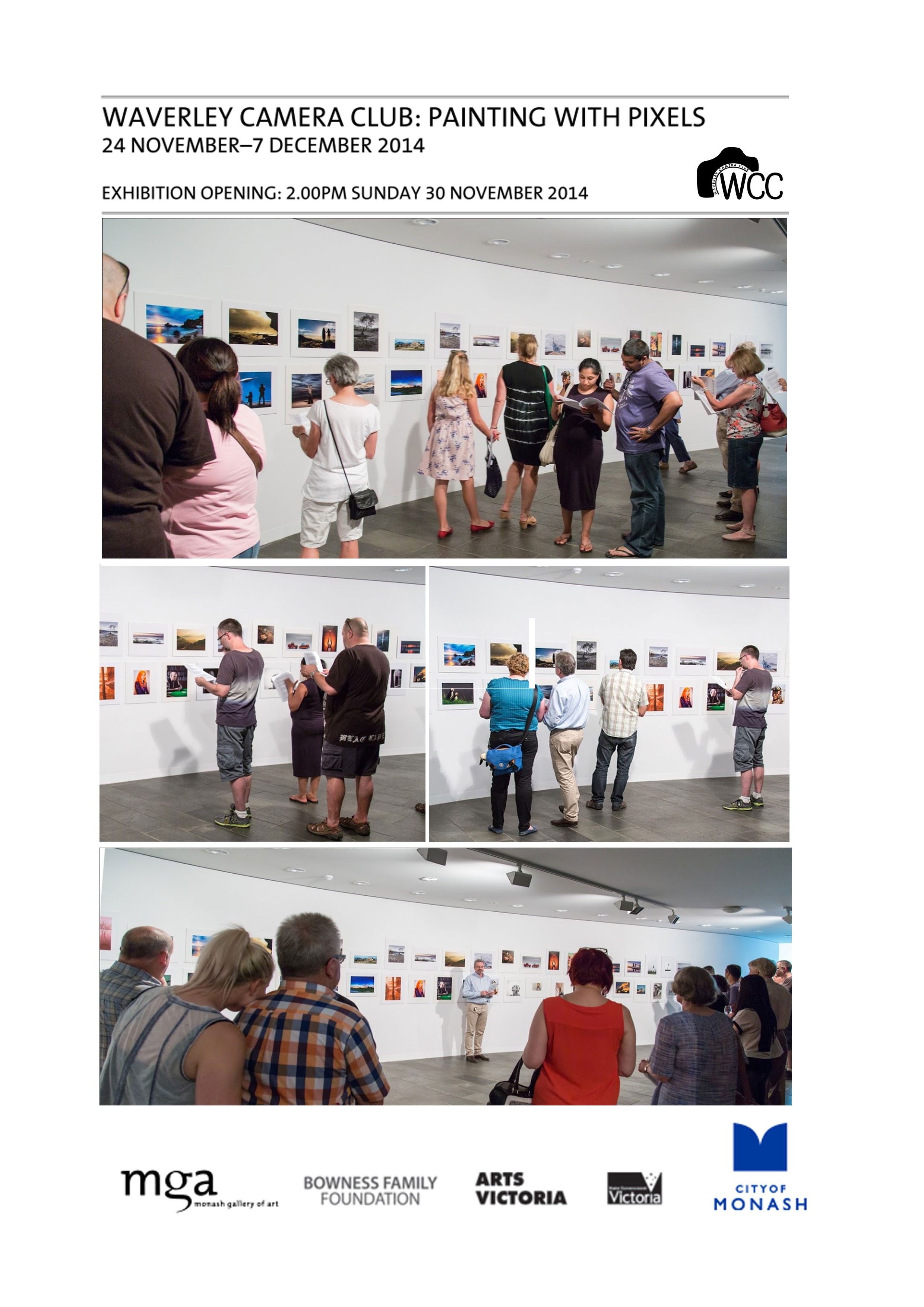
Painting With Pixels – Opening 30th Nov 2014

The Club’s Painting With Pixels exhibition opening went extremely well with well over 40 people attending the event. The MGA staff had done an exceptional job in hanging the images along with providing drinks and refreshment for the opening. The president welcomed everyone to the opening with a short speech and lots of networking and interaction between members ensued. I listened to the comments and reactions of people around the room and the exhibition seemed to be very well received.

One apology I have to make is to Crag Francisco whose image descriptions in the accompanying documentation were switched around however, once realised, this was quickly rectified for us by MGA staff.

Also I would like to extend a warm welcome to Isabella and Lily, two Korean ladies who came to the opening and seemed to really enjoy the images in the gallery. Isabella doesn’t speak English very well (her words) but we managed to communicate and she has expressed that she would be interested in joining the club. I will invite her to come along to the BBQ in January and hopefully she will join us in the New Year.

WCCBowness


The WCC Committee would like to thank all members who attended the gallery opening and to those who couldn’t attend for loaning their images for the exhibition. We would also like to thank MGA, especially to Stephen and Mark for their kind offer to host our exhibition and for their help in setting up and coordinating the event.


Dave Sumner

WCC Vice-President

Membership Fees for 2015

Waverley Camera Club would like to take this opportunity to thank everyone for their support in 2014 and our new record of members, 117. We sincerely hope that you got a lot out of the club for the year and we do hope to see you in 2015 for a whole new year of photography.

Please note that the WCC membership fees for 2105 are due now and need to be paid before the 30th Dec 2014, please see the notice below:

membership-Due


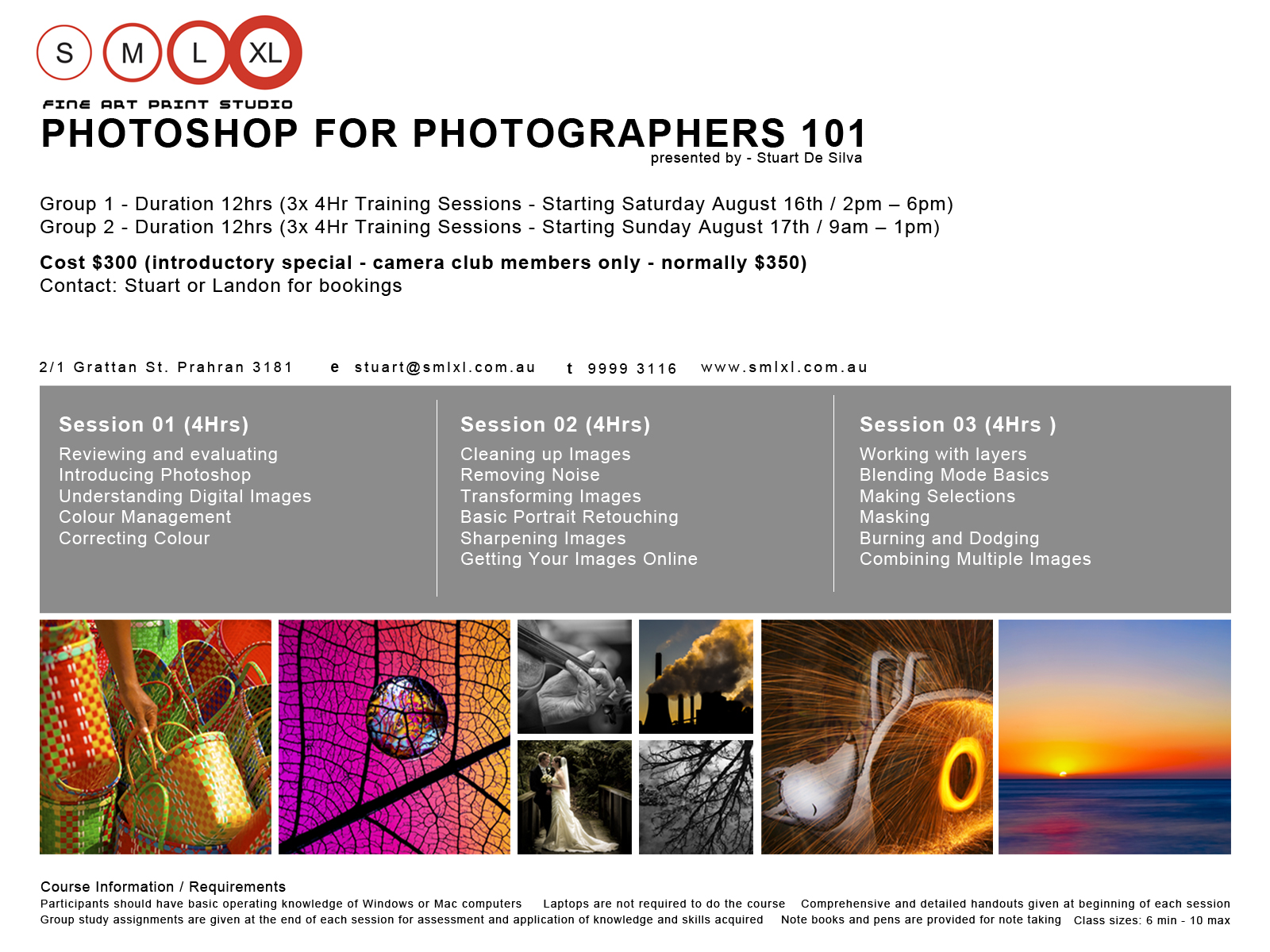
Swap Meet & Table Sale after the AGM

swap-meet-october-2014

Swap Meet & Table Sale
Tuesday 21 October 2014

Do you have photography books that you have read, lenses and equipment you have replaced, camera bags that are too big or too small, etc? If the answer is yes then bring them along to next Tuesday’s AGM and you can sell them or swap them with other members who want what you no longer need.

Members are solely responsible for any deals or financial arrangements entered into.

Sale & swap begins immediately after the Annual General Meeting.

If you would like to advertise you gear before hand you can post to the club’s Facebook page.

Give Program (P) a Try!

Give Program (P) a try!  

John Hadfield, Waverley Camera Club Member, talks to Anne Ramus

It’s common for some photographers, particularly beginners, to ask what mode they “should” be shooting in.  Perhaps there’s some mystique about using Manual in that pros allegedly use it?

Many pros use Manual because it suits the consistency of a fixed lighting environment – the set-up time is not an issue. But in a shooting situation where lighting or focus points may be constantly changing, being in Manual mode means too much time is taken setting up the shot – and a fleeting photo opportunity may simply whizz past while you’re busy wrangling settings!

Look at it this way: Manual requires you to set both Aperture and Shutter Speed, but you’re using the camera’s light meter to guide you.  So if you use Aperture Priority, you’re making a selection essentially around Depth of Field – it’s easy if the whole shoot session involves this element.

If you select Shutter Priority you’re making a selection based on freezing the action or recording a blurred (intentional) image, such as with active children or pets, or sports action.  With either Aperture or Shutter Priority modes, the camera sets the correct exposure control to balance your particular selection using its light meter.  Otherwise, you could lose a lot of shots simply because by the time you’ve set up your camera, the moment has passed.

Now let’s look at one pro who presented at a couple of our WCC workshops on photo journalism – and he shoots for Getty Images.  He uses Program (P).  Program is a good balance if you don’t have a need to bias aperture or shutter speed to capture a certain image.

I use P all the time for general shots.  P is like Auto but it doesn’t fire the flash for almost every shot.  P doesn’t change the ISO.  P is good because it has a progression of aperture and shutter speeds depending on the amount of light and the focal length of the lens.  As you use a longer focal length, it quickens the shutter speed to minimise blur from camera shake.

Give Program (P) a try.  Only go to a priority (A or S) for a particular type of image control, i.e. depth of field or shutter speed for stopping action or causing blur.  Unless you have a particular image style in mind, I would set your camera up for a day’s general shooting  (and the level of light) to give you a reading of about F/5.6 – F/8, a Shutter Speed of not less than 1/125 and an ISO to give you those readings (probably about ISO 200-400).

Set the Mode to Program (P), only changing to Aperture or Shutter to suit a particular type of shot.  I would guess that 80% of your shots will fall within that range I mentioned above.  I would increase the ISO as necessary to keep within my suggested aperture/shutter speed range for general daytime photography.  Be aware that the lower the ISO, the less image ‘noise’.  Further, cameras vary in their ability to handle noise – another factor which will influence your choice of ISO setting.

Overall, it’s important to realise that the “Exposure Triangle” of Aperture, Shutter Speed and ISO always involves compromises; it’s a juggling act of your own creative decisions plus the technical path you choose to achieve the image you want.


Anne Ramus

Out of the dark and into LightRoom

From club member Anne Ramus:

I was a person unfamiliar with the digital world when I took up “art photography” upon retirement about two years ago. A huge part of that journey has been coming to grips with post-processing using LightRoom software.

And what a buzz it is! I’m hoping my experience inspires others to plunge into this editing software and to keep swimming – even though at times, like me, you might feel you’re drowning and are tempted to give it all away. Persist – be stubborn about it. It hasn’t been quick or easy for me, but the benefits of finally nailing a reasonable level of digital photography and post-processing have been huge.

Accustomed to making things up as I go along, including leaving the reading of instruction manuals till last, I found LightRoom a challenge. I was impatient, with a bull-at-a-gate style. I’ve learnt that staying cool and methodical and being organised are much better options.

Firstly, you have to get your head around the way LightRoom stores your images: it catalogs the changes you make, not the whole image. In that way, it takes up much less precious space on your hard drive. Every time you bring up your amended photo on the monitor, LightRoom takes the original photo stored on your computer, adds the changes you’ve made, and shows your latest version of it whenever you access it.

It’s therefore critical where and how you file your original photos. And don’t meddle with them after importing them into LightRoom, creating chaos like I did initially. Once you’ve imported them, moving photos on your HD breaks the link that LightRoom originally established and needs to operate. It won’t find your photos, and you’ll be tearing your hair out trying to locate them and re-establish connections. Establishing an organised filing system to work out of, then getting into the rhythm of a methodical LightRoom workflow, are first critical steps. And tag your photos with keywords. I didn’t for a while: I thought it was a waste of time. Instead, I wasted countless hours wading through mountains of images looking for photos …

Secondly, with your filing system nicely established and operating well, you’re free to explore LightRoom’s exquisite capabilities for making your shots look even better and more competition-worthy. It’s a creative process, but it’s also very technical. As a (right-brain dominant) oil painter accustomed to free-wheeling with paint on a blank canvas, I found it a challenge to have to “stop, think, read, follow, do” according to a manual and a merciless left-brain computer.

A side-benefit to me of this learning was an understanding of how computers behave, their language and their protocols. LightRoom learnings translated across the board into other digital areas, like my iPhone and iPad. I’m learning faster and better by being much more confident and effective in searching out all sorts of information on the internet. I am now clearly more knowledgeable than my 4-year-old grandson!

There’s a goldmine of photo gurus and teachers out there that you can tap into – for free. Explore to find the ones that suit you best. You’ll refine your list down to the ones that align with your learning style and level of expertise. I have 5-6 favourites and by subscribing to their websites, I receive alerts of tutorial topics available.

Talking of experts, if you still (like me) feel comfortable seeing words, diagrams and pictures on paper, Scott Kelby’s LightRoom Manual is a “must have”. He is the very consumer-friendly god of LightRoom and also offers excellent free internet tutorials on an endless array of photography topics and techniques.

Whether you have a point-and-shoot camera or a big black DSLR, if you’re struggling to get your photos to look like you want them to, consider LightRoom. I’ve been told it’s more user-friendly than Photoshop, yet if you want to progress to Photoshop, it’s an easy bridge to cross. Along with a range of other photography software, there are also elements of Photoshop that you can use via LightRoom.

At this point in my photography career, I’m content with LightRoom, aware that I still have lots to learn about this software as well as my camera and lenses. When (or if) I’m ever feeling creatively or technically constrained by either LightRoom or my equipment, I’ll move onwards and upwards. But at the moment, the joy of continually discovering more of what LightRoom can do for me seems boundless!

Anne Ramus
February 2014